Introduction
Often you have devices behind a dynamic IP. WhereIs and DynDNS answer different questions and work well as complements. DynDNS answers, what is the current IP associated to a hostname. WhereIs answers, what was the last IP from which this device contacted me and when. DynDNS does not normally lose its record just because the IP changes, that is its job, to update the DNS. But if the update client stops running, or you need a history of contacts, you need the second question. WhereIs is a minimal service where the device itself, through a single HTTP request with wget or curl, can keep its last reported public IP up to date.
WhereIs is not intended to replace DynDNS. DynDNS is much more convenient when everything works: a hostname can automatically follow your changing public IP and you can use that hostname directly to reach your services. WhereIs is a much simpler and more limited tool, but that simplicity is precisely the point.
A dynamic DNS service still depends on something on your network being able to detect the IP change and perform the update. That might be a router, a NAS, a server, a container, a DynDNS client, or another device. If that updater fails, is powered off, loses its configuration, or the service itself stops being updated, your hostname may no longer point to the address you need.
WhereIs provides a simple additional fallback. A device that is already running can make a basic HTTP GET request with wget or curl, and an external server records the public IP from which the request arrived. It is not as convenient as DynDNS, and it does not give you a hostname that automatically follows the address, but it can preserve the last successfully reported IP when the normal dynamic DNS mechanism has failed.
Sometimes that small piece of information is enough to recover from a compromised situation: reconnect to a remote system, troubleshoot a broken DynDNS setup, manually update another service, or simply discover where the device was last reachable from.
The idea is deliberately simple: DynDNS can be the primary solution, WhereIs can be the fallback that gives you one more way back when the primary solution stops working.
WhereIs is deliberately built with MariaDB and PHP because the cheapest, simplest hostings already offer them. It is a good idea to keep this tracker outside your homelab so if your home network goes down, the last known IP is still safely stored elsewhere.
How it works
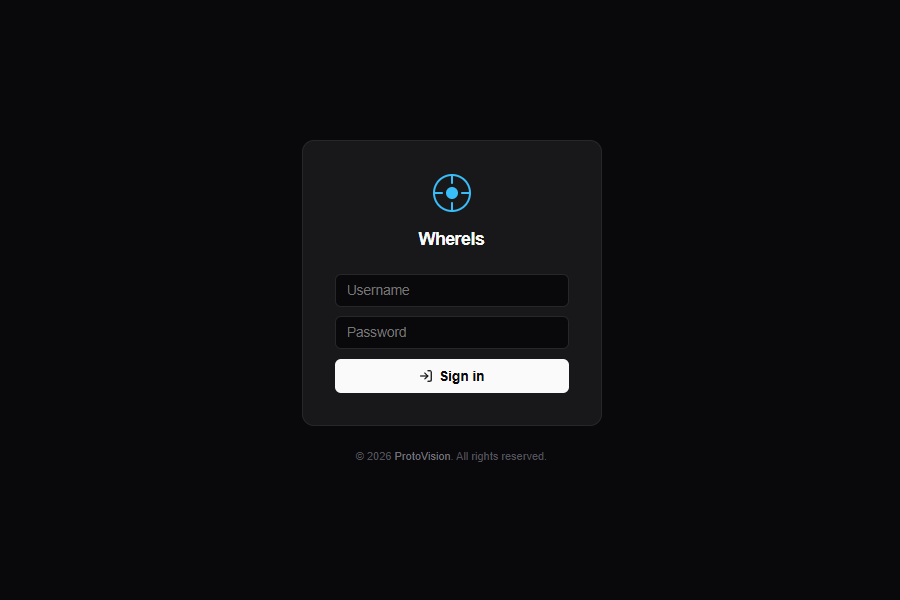
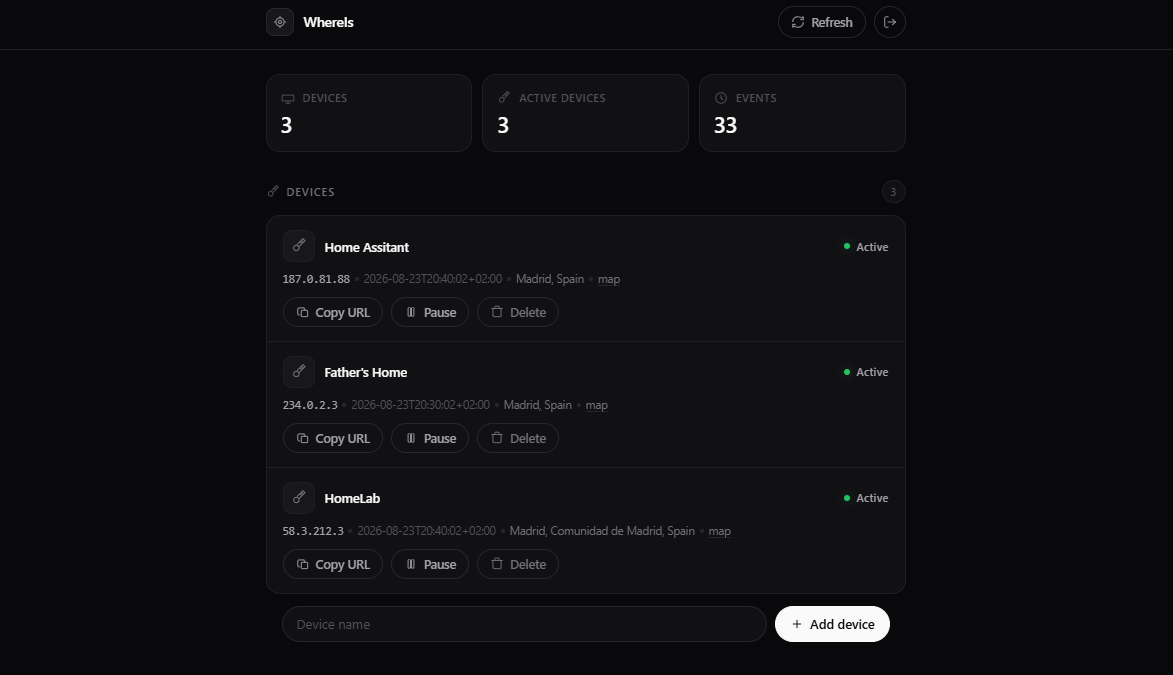
The model is strict 1:1 device ↔ token. Adding a device (Add device) generates its token and creates a pending row in devices. The token acts as the device authentication credential and identifier. You can optionally set a manual location and notes at creation, no third-party geolocation is used.
The device only needs one HTTP request:
curl "https://example.com/api.php?token=YOUR_TOKEN"
# or
wget -qO- "https://example.com/api.php?token=YOUR_TOKEN"
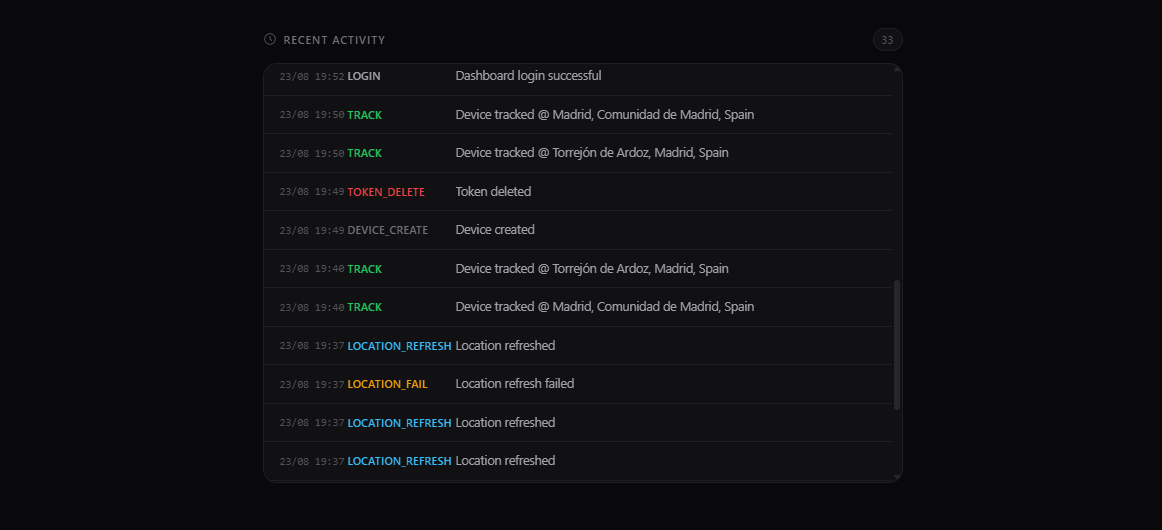
On each HTTP GET the API validates active = 1, checks a basic per-IP rate limit (5 req / 60s per IP), calls update_ip(), and logs TRACK. Until the first request the dashboard shows Awaiting first ping, the device already exists, just waiting for its first address. The IP is stored as seen by the WhereIs server, normally the public IP of the device's Internet connection, location is yours to define, not inferred from external services with unclear terms.
- Installer wizard (
install.php) creates the database if needed, builds 5 tables (users,tokens,devices,events,rate_limits), writesconfig.db.php(gitignored,0640) and creates the admin user. - Dashboard is the single source of truth:
Copy URL,Pause/Activate,Edit(popup),Delete(device + token together), IP withmanual_location+notes, and a 500-event history.
One HTTP request from the device is enough to keep a record of its last successful check-in.
This design also clarifies the security model. The token is intentionally used as a bearer credential in the URL for simplicity with wget or curl, so HTTPS is required and the token must be treated as a secret. Anyone who obtains https://example.com/api.php?token=ABC123 can impersonate that device. Keep tokens out of public repositories, publicly accessible firmware, logs and screenshots. Secrets in URLs can also appear in server access logs, proxies, monitoring tools, browser history or debugging logs. A future evolution could support Authorization: Bearer YOUR_TOKEN to keep the secret out of the URL, but the current GET keeps the endpoint trivial for constrained clients.
The per-IP limit is a basic protection against accidental flooding, not a complete abuse prevention. If several devices sit behind the same NAT they share the same public IP and therefore share the limit, and an attacker who already knows a valid token is not blocked by IP alone.
Perfect for ESP32 and domotics
If you already have domotics elements like sensors with ESP32, ESP8266 or NodeMCU around the house, it is trivial to add WhereIs. Any board with WiFi can report the public IP of the network through which it reaches the Internet with a single HTTP GET, with no DynDNS client or WhereIs-specific library required.
It is important to note that WhereIs does not see the private address of the board. The typical path is:
ESP32 (192.168.x.x)
  -> Router / NAT
  -> Public IP
  -> WhereIs
WhereIs stores the public IP of the router or NAT, not 192.168.x.x. If you have several ESP32 in the same house they will all appear with the same public IP, even though they are different devices. The token is what distinguishes them, which connects directly to the 1:1 model.
Add it to your loop() or to a periodic timer:
#include <WiFi.h>
#include <HTTPClient.h>

const char* WHEREIS_URL = "https://example.com/api.php?token=YOUR_TOKEN";

void callWhereIs() {
  if (WiFi.status() != WL_CONNECTED) return;
  HTTPClient http;
  http.begin(WHEREIS_URL);
  int code = http.GET(); // the server records the source public IP
  http.end();
}

// call every 10 minutes
// if (millis() - lastCall > 600000) { callWhereIs(); lastCall = millis(); }
It works alongside your sensor code (temperature, relays, plugs) without interfering. Even a battery-powered ESP32 that wakes every hour can send a GET request. Because the tracker lives outside the homelab, you will have the last public IP from which that remote greenhouse sensor or gate controller successfully checked in, which complements DynDNS rather than replacing it.
Manual device info via popup
Third-party geolocation was removed on purpose, terms of use are often unclear. Instead, each device has manual location and notes fields you control. In the dashboard the list stays clean, clicking Edit opens a centered popup (not inline inputs) where you update both fields and Save. The change is stored in devices.manual_location / devices.notes and shown directly under the IP. No external API is ever called.
Why outside the homelab
A homelab tracker dies with the homelab. By hosting WhereIs on any cheap PHP + MariaDB hosting, you keep the last IP even when the router reboots or the tunnel drops. WhereIs complements DynDNS: DynDNS tells you the current hostname mapping, WhereIs tells you the last contact for that specific device and when it happened.
Tech stack
| Layer | Choice |
|---|---|
| Backend | PHP 8+, PDO, prepared statements, ensure_schema() |
| Database | MariaDB |
| Frontend | Vanilla HTML/CSS/JS, dark minimal UI, popup edit modal |
| Privacy | No third-party geolocation, manual location only |
After install, remove install.php and point each device, from a Raspberry Pi to an ESP32 sensor, to its URL. Cheap, external, and always keeping a record of the last successfully reported address, as a complement to DynDNS when you need device-level history.